
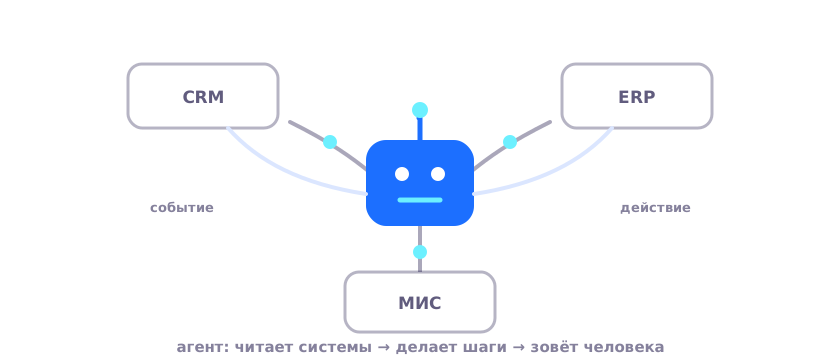
The word "agent" gets slapped on everything these days, from an email newsletter to a spreadsheet macro. The definition we use at AISOL fits in a single line: an agent is a program that receives a task, breaks it into steps on its own, carries them out in your working systems, and delivers a result. It does not answer questions, it does the work.
This is easiest to see through examples. Take three systems that almost every Kazakhstani company has: a CRM in sales, an accounting system in the warehouse and finance department, a HIS in the clinic. In each one we will show the same cycle: event, steps, result, and the moment when the agent stops and calls in a human.
How does an agent differ from a chatbot and a script?
A chatbot talks: it recognizes the topic and returns a prepared answer. A script repeats: it plays back a recorded sequence of clicks quickly and identically, until the form changes. An agent understands meaning and chooses the steps itself, following the rules but adjusting for the specific case.
The difference is clear from the question worth asking at a demo. Ask a chatbot: "what can you answer?" Ask a script: "what can you repeat?" Ask an agent: "which process will you take through to a result, and where will you stop?" Three different questions, three different classes of tool.
Here is an everyday analogy. A chatbot is an information desk: it will point you to the cashier. A script is a conveyor arm: precise as long as the part is fed in the same way. An agent is a capable intern: you explained the rules, gave the access, and it handles the routine itself, coming to a senior colleague with the non-standard case. Not because it broke, but because that is what was agreed.
| Question | Chatbot | Script (RPA) | AI agent |
|---|---|---|---|
| What it understands | keywords | nothing, it repeats | the meaning of the task and the document |
| Input | a short question | identical data | text, speech, documents, system data |
| If the case is non-standard | hits a dead end | breaks | resolves it or calls in a human |
| Result | an answer | transferred data | a completed process step |
Example 1. CRM: the call ended, the record filled itself in
Event: the manager hung up. For the platform this is a signal, and events trigger processes. The agent takes the recording of the conversation, transcribes it (Kazakh and Russian speech are recognized at a native level), and extracts the essentials: what was agreed, what amount was discussed, what the client is hesitant about, when the next contact is.
Then the steps in the CRM: update the deal stage, write in the agreements, set the task "send the quote by Wednesday." The manager filled in nothing. In the morning the head of sales sees a pipeline built from real conversations, not from whatever the managers managed to enter before the stand-up. It is like an assistant who sat in on every call and kept the diary itself, except this one can handle a thousand such calls a day.
If "send the contract to the lawyer" came up in the conversation, the agent will prepare a draft email with the attachment and leave it for the manager to confirm. The deal speeds up not by magic, but because the steps stop waiting for a free minute.
Example 2. Accounting system: the delivery note against the order
Event: a delivery note from a supplier arrived in the procurement inbox. The agent recognizes the document, including a scan with a stamp, finds the matching order in the accounting system, and reconciles it line by line: items, quantities, prices, deadlines.
If everything matches, the agent prepares the document for posting and leaves it for confirmation. If there is a discrepancy (the price on two items is 4% above the order), the agent stops: it highlights the lines, attaches the order and the delivery note, and sends it to the procurement officer. The decision to "accept or dispute it with the supplier" stays with the human. This is the receiving clerk at the warehouse gate: reconciling what was delivered against what was ordered before signing, not after.
The scale of the effect depends on the flow. At a hundred delivery notes a day, manual reconciliation is a full staff position; at ten, it is half an hour of daily routine. The agent takes on both; only the amount of time returned to people changes.
Example 3. HIS: the visit ended, the case has been checked
Event: the doctor finished dictating the visit. The agent lays out what was said into the structure of the chart (complaints, examination, diagnosis), suggests an ICD-10 code and service codes, and then runs the case through the fund's requirements checklist: services are justified, signatures and dates are in place. The doctor reviews it, confirms, and the record goes to the HIS.
A flag (for example, a missing justification for hospitalization) blocks submission until it is cleared. An analogy from life: a resident who writes to dictation and checks the paperwork against the rules before handing the documents over for signature. We covered this scenario in full in the solution for healthcare.
Three examples, three different agents, but one platform: shared integrations, shared permissions, a shared log. When scenarios sit side by side, agents hand work off to one another: the one that found the discrepancy in the delivery note sets a task for the one that prepares the letter to the supplier. Out of separate helpers, a process comes together that runs on its own from event to result.
How does an agent get into your systems?
The main route is the API: the agent reads and writes data directly, which is fast and reliable. If a system has no API (and old accounting systems and some document-management systems do not), the agent works through the interface: it opens the same screens an employee does, fills in fields, clicks "post." Slower, but it does not require reworking the system; we described how this works in a separate article.
The agent's permissions are the same as an employee's: it sees and changes exactly what its role allows. The platform needs no separate "superuser," which is a deliberate architectural decision, and it usually reassures the security team faster than any certificates.
Everything is launched by events, not by a duty roster: an email arrived, a call ended, a status changed, a deadline came due. The full set of what the platform can do around agents (documents, voice, dashboards, integrations) is gathered under platform capabilities.
When does an agent call in a human?
The boundaries are set during configuration, and this is the main tool of trust. Three typical rules. Low confidence: if the agent is not sure of what it recognized, it does not guess, it asks. Money thresholds: posting a payment or a discount above a limit requires confirmation. Irreversible actions: submitting a case to the fund, an outgoing letter to a counterparty, only after a human.
Every action the agent takes is written to a log: what it read, what it changed, on what grounds. Any result can be unwound back through the steps. In reviews it is the log that dispels the most skepticism: the "black box" stops being black.
Over time the boundaries shift. In the first weeks the agent asks often, and that is by design. Then the thresholds are revisited using the log: where the agent is consistently right, confirmation is removed; where it makes mistakes, its authority is narrowed. On facts, not on impressions.
Where to start getting to know agents
Not with presentations. Pick one process where the routine is obvious (calls, source documents, requests) and watch the agent on your own data. We set up a prototype like this in about a week, for free: you bring the examples, we show a working "event, steps, result" cycle. Productive rollout takes from eight weeks, paid by subscription. A good first candidate is a process with a clear event and a verifiable result: a call ended, a document arrived, a case closed. You can book a process review through contacts.
Frequent questions
Can an agent make mistakes?
It can, which is why the process is built with control points: irreversible steps are confirmed by a human, and we measure the agent's accuracy on a prototype, on your data, before rollout. The difference from a human error is that an agent's error is visible in the log right away, together with the step where the process went off track.
How does an agent differ from the macros we already have?
A macro repeats clicks and falls over on the first non-standard document. An agent works with meaning: it will read a delivery note in a different format, understand a letter with free-form wording, and in a disputed situation it will stop and ask. Nobody is banning macros, by the way; they go on living quietly alongside.
How many agents does our company need?
You start with one process and one or two agents. After that the economics work in your favor: the integrations, permissions, and log are already built, so the second scenario is connected faster and cheaper than the first. It makes sense to expand as the team gets comfortable.